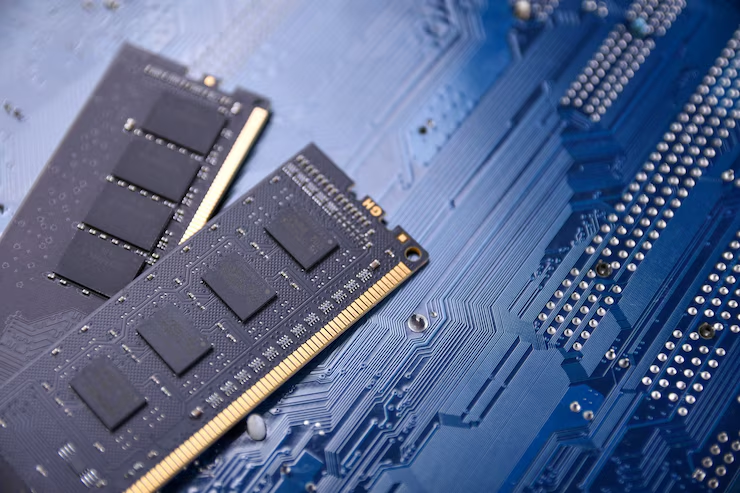
Cloud computing and virtualization allow businesses to run multiple applications, services, and virtual machines on shared server infrastructure. As these workloads increase, servers need enough memory to keep active processes running smoothly. High-performance RAM solutions can help reduce memory bottlenecks, support more virtual machines, and improve overall server responsiveness. For businesses managing demanding workloads, choosing compatible and reliable memory is an important part of server planning. Ram Exchange provides RAM options for different server environments, helping organisations select memory based on their hardware and workload requirements.
Why RAM Matters in Cloud Environments
Cloud servers often handle several tasks at the same time. They may run applications, databases, websites, storage services, and background processes for many users. All of these activities depend on system memory. RAM stores data that the processor needs to access quickly. When a server has enough memory, applications can keep more active information readily available. When memory is limited, the system may rely more heavily on storage, which can result in slower response times. This makes memory capacity an important consideration for businesses operating cloud-based workloads. The right configuration allows servers to handle current demands while leaving some room for additional activity.
Supporting Multiple Virtual Machines
Virtualization allows one physical server to run several virtual machines. Each virtual machine has its own operating system, applications, and allocated resources. RAM is shared between these virtual environments and the physical host. For example, one server might run separate virtual machines for a database, web server, internal applications, and file management. Each VM requires memory, and the total requirement can grow quickly as more systems are added. A server with sufficient RAM can support more virtual machines without placing excessive pressure on available resources. This can also help reduce competition between workloads and maintain more consistent application performance.
Managing Heavy Workloads
Some cloud and virtualisation environments handle large amounts of information throughout the day. Databases may process frequent queries, business applications may serve many users, and analytics systems may work with large datasets. RAM gives these workloads space to keep frequently accessed data available. This reduces the need to repeatedly retrieve information from slower storage. The difference can become more noticeable during busy periods. A server that performs well under light usage may struggle when many users or applications become active at the same time. Having adequate memory gives the system more capacity to handle these changes.
RAM Capacity and Business Growth
Memory requirements can change as a business grows. Adding applications, users, databases, or virtual machines can increase the amount of RAM needed by a server. Planning for future expansion can prevent frequent hardware changes. A server with available memory slots or support for higher-capacity modules may allow businesses to increase memory later.
Before upgrading, administrators should check the server’s maximum supported capacity and the type of memory it accepts. Processor specifications, motherboard limitations, memory slots, and module compatibility all need to be considered. Ram Exchange can help businesses review available memory options based on the specifications of their existing server hardware.
Does RAM Speed Affect Performance?
RAM speed determines how quickly memory can transfer data. Faster memory can be useful for workloads that frequently move large amounts of information between the processor and RAM. However, speed should not be considered separately from compatibility. A server may only support certain memory speeds or module types. Installing memory that does not match the platform’s specifications can cause compatibility problems or prevent the system from operating at its intended performance level. For this reason, capacity, speed, compatibility, and server architecture should all be reviewed before making an upgrade. Businesses can Explore Our RAM Products to compare memory options for different server and computing requirements.
Reliability Is Essential for Servers
Cloud and virtualisation servers often operate for long periods and may support several business-critical applications. A memory issue on one physical host can affect multiple virtual machines at the same time. Server-grade memory is designed for environments that require dependable operation. Certain types of server memory also include error detection and correction features that can help deal with specific memory errors.
Reliable memory does not replace proper server maintenance, but it can form an important part of a stable hardware setup. Businesses should always select modules that are designed and approved for their particular server platform. Ram Exchange offers memory options for a range of server requirements, allowing businesses to assess their hardware before choosing an upgrade.
Identifying Memory Bottlenecks
A server may experience a memory bottleneck when its available RAM is regularly close to full capacity. Administrators may notice slower applications, increased storage activity, or reduced performance from virtual machines.Monitoring memory usage over time can help identify whether RAM is actually causing the problem. A short period of high usage may not require an upgrade, but consistently high memory consumption can indicate that additional capacity would be useful. It is also worth checking CPU and storage performance before making changes. Server performance depends on several components, so increasing RAM will not solve a problem caused by another resource.
Extending the Life of Existing Servers
Replacing an entire server is not always necessary when workloads begin to require more memory. If the existing hardware has unused memory capacity, a RAM upgrade may provide additional resources without replacing the whole system. This can be particularly useful for virtualisation hosts. More available memory may allow existing hardware to support additional virtual machines or larger workloads. However, upgrades should be based on the server’s technical limits. Administrators need to check the number of available slots, supported module capacity, memory type, speed, and maximum system memory before purchasing new modules.
What to Check Before Buying RAM
Selecting server memory requires more than checking the capacity listed on a product page. Businesses should first identify the exact server model and review its technical specifications.
Important factors include:
- Maximum supported RAM
- Supported memory type
- Module capacity
- Supported memory speed
- Number of available memory slots
- Error correction requirements
- Processor compatibility
- Existing memory configuration
Matching these details correctly can reduce compatibility issues and help the server use its available memory efficiently.Ram Exchange can be considered when reviewing compatible memory for server upgrades, replacements, and changing workload requirements.
Creating a Balanced Memory Configuration
A good server configuration should match memory capacity with the actual workload. A small virtualisation environment running a few lightweight applications will not have the same requirements as a server hosting databases, business software, and many virtual machines. Administrators should review current memory usage and consider expected growth before making an upgrade. This provides a clearer idea of how much RAM is needed and whether the existing server can support the planned configuration. Memory should also be considered alongside processors and storage. A balanced system is more likely to provide consistent performance because no single component is placed under unnecessary pressure.
See also: Business Litigation Lawyer: Protecting Your Business Through Skilled Legal Representation
Supporting Long-Term Cloud and Virtualisation Needs
Cloud platforms and virtualised servers depend on efficient resource management. RAM allows multiple applications and virtual machines to operate on the same physical infrastructure while keeping active data readily accessible. High-performance RAM solutions can provide the capacity and speed required for demanding server workloads, but the correct choice depends on the hardware and applications involved. Businesses should focus on compatibility, capacity, reliability, and future expansion rather than choosing memory based on speed or capacity alone. With careful planning, a suitable RAM upgrade can help existing servers handle changing workloads and support a growing virtualisation environment.
Need help choosing the right memory for your server? Get in touch with us to discuss your server memory needs and find the right RAM for your cloud or virtualization setup.